
Reports
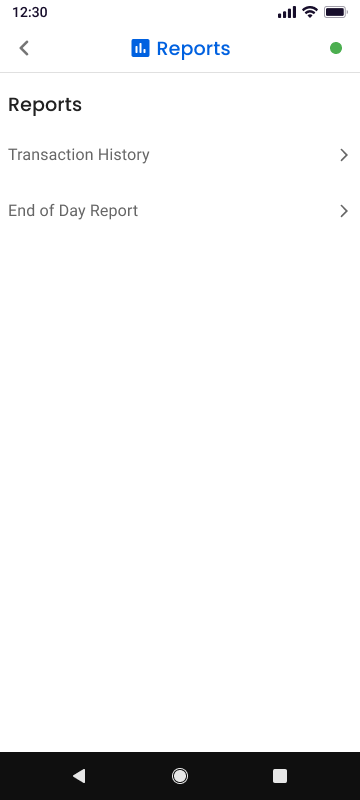
The Reports section allows users to review transaction activity and view daily payment summaries.
- To access Reports, tap the menu icon (☰) on the Pay screen.
- Select Reports from the navigation menu.
- The Reports screen will open.
- From this screen, users can choose from the following report types:
- Transaction History
- End of Day
Transaction History
The Transaction History report allows users to view previously processed transactions.
- Tap Transaction History from the Reports screen.
- A list of transactions will appear.
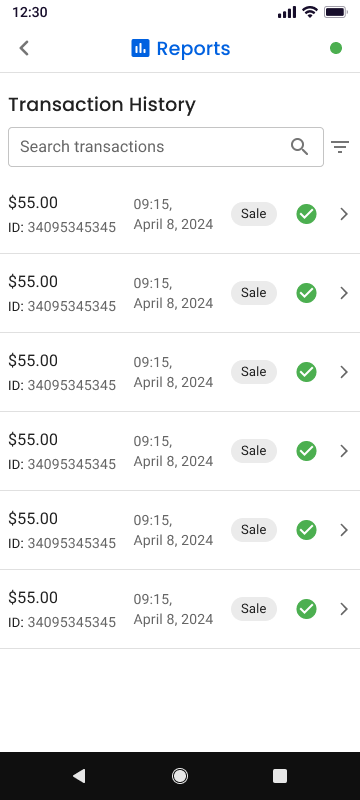
- Select any transaction from the list to view its transaction details.
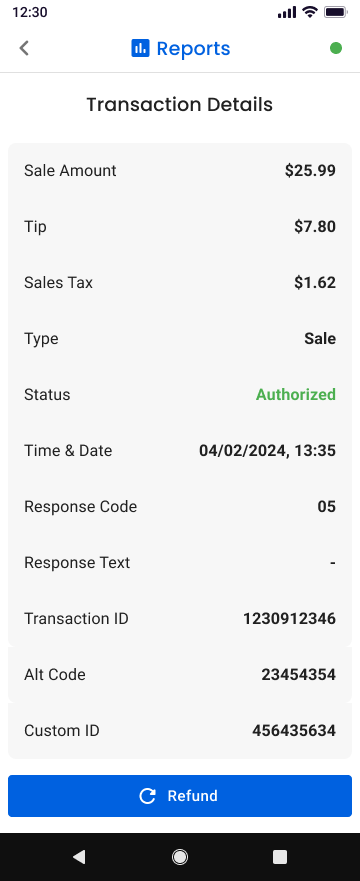
- The transaction details screen displays information such as:
- Transaction amount
- Transaction date and time
- Authorization status
- Additional transaction information
From the transaction details screen, users can also access additional actions such as issuing a refund.
End of Day
The End of Day report provides a summary of transactions processed during the current business day.
This report includes:
- Total number of transactions
- Total sales amount
- Total authorizations
- Refund totals (if applicable)
- Overall payment totals for the day
The End of Day report allows merchants to quickly review their daily transaction activity and reconcile payments.
Updated 3 months ago
Did this page help you?