
ORCA Credentials Vault
ORCA Credentials Vault
Overview
As using plain text to define and reference sensitive credentials poses a very high security risk, Bluefin has introduced a new capability to ShieldConex® Orchestration so that the merchant can now avoid hardcoding their sensitive credentials into ORCA configurations.
ShieldConex® Orchestration now offers a Credential Vault option that lets you securely manage and rotate credentials used within ShieldConex Orchestrations—without requiring code changes or redeployments.
By referencing credentials dynamically at runtime, customers can keep sensitive keys protected while making configuration updates faster and safer.
ORCA Configuration AuthorizationFor more details on ORCA authorization, refer to ShieldConex ORCA | Proxy Authorization vs Action Authorization.
Key Features
Key features of Credential Vault enable:
-
Secure storage of key/value pairs (HMAC keys, JWT secrets, etc.) that can be referenced at runtime via configuration fields.
-
Multiple merchants to use the same orchestration configuration with different credentials.
-
Credentials to be rotated or updated without re-publishing or modifying configurations.
-
Centralized management and visibility into credential usage.
-
Role-based access control for managing secrets at the Partner or Sub-Partner level.
- Key names must be unique at the partner level. For the comprehensive breakdown of Bluefin User Roles, check out Hierarchy of Organizations.
-
This is beneficial in many ways: from eliminating the need to rotate your credentials, to providing the maximum security with your credentials encrypted at rest and only used at runtime when needed.
Access Level
This feature is strictly available to System Admin, System User, and Parner Supervisor user roles as shown in the following table:
| ShieldConex Interface | System Admin & System User | Partner Supervisor |
|---|---|---|
| Credential Vault | Full Access to the Credential Vault Page Must select a Partner to view/manage a vault | Viewing Partner's Vault Viewing and managing Sub-partner vaults |
Viewing and Managing Secrets
By going to Manage -> Credential Vault, the user can manage their credentials under their respective partner.
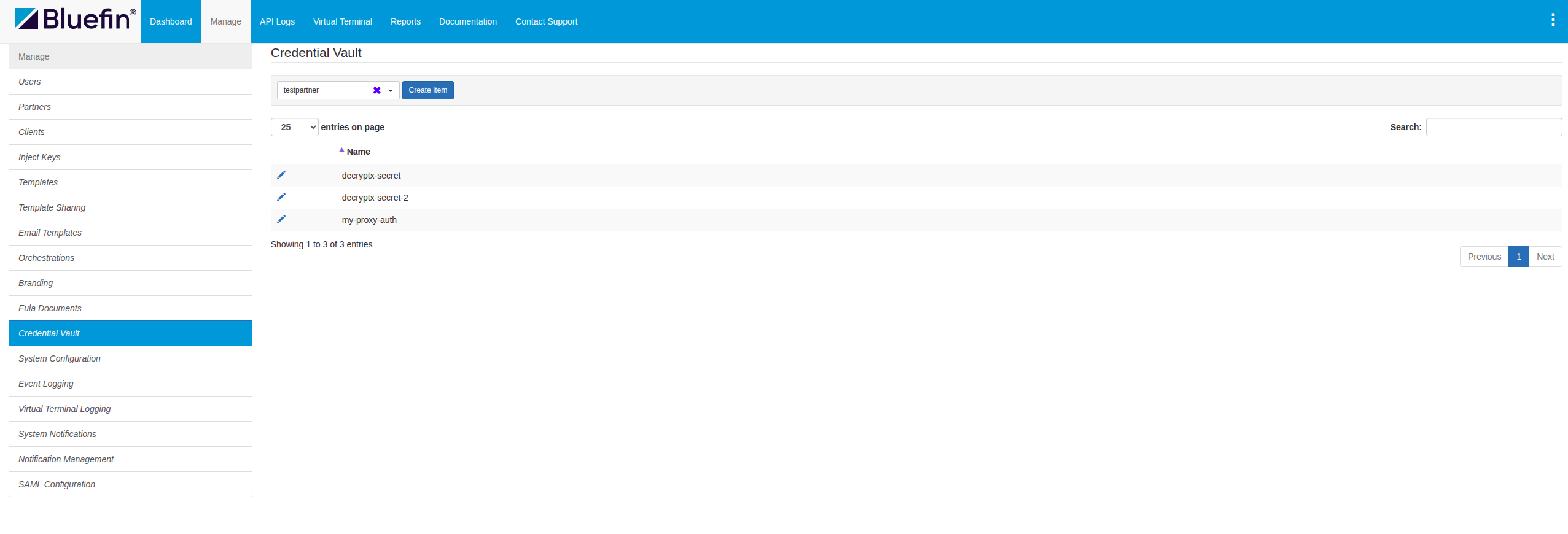
ORCA Credential Vault | Viewing and Managing Secrets
Creating a Secret
By clicking on Create Item, the user is prompted the form to input the secret/credential name with its secret value.
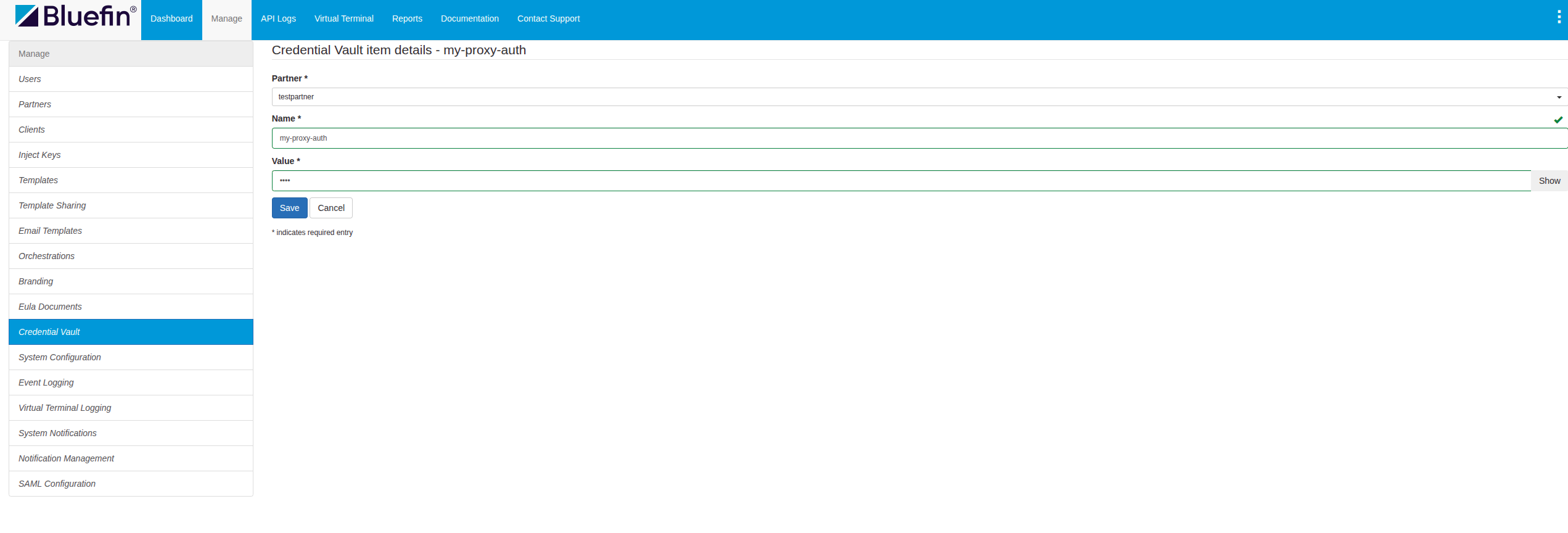
ORCA Credential Vault | Creating a Secret
NoteIn order to reference a credential from an ORCA configuration, both the ORCA configuration and the credential must be created under the same partner.
Permanent Key NameOnce the user creates a new credential, the value can be changed but the key name is immutable and permanent. The only workaround involves deleting the existing key credential and adding a new one under the new name.
Key names must be unique at the partner level.
Editing a Secret
The user has the ability to edit an existing secret, modifying its secret value.
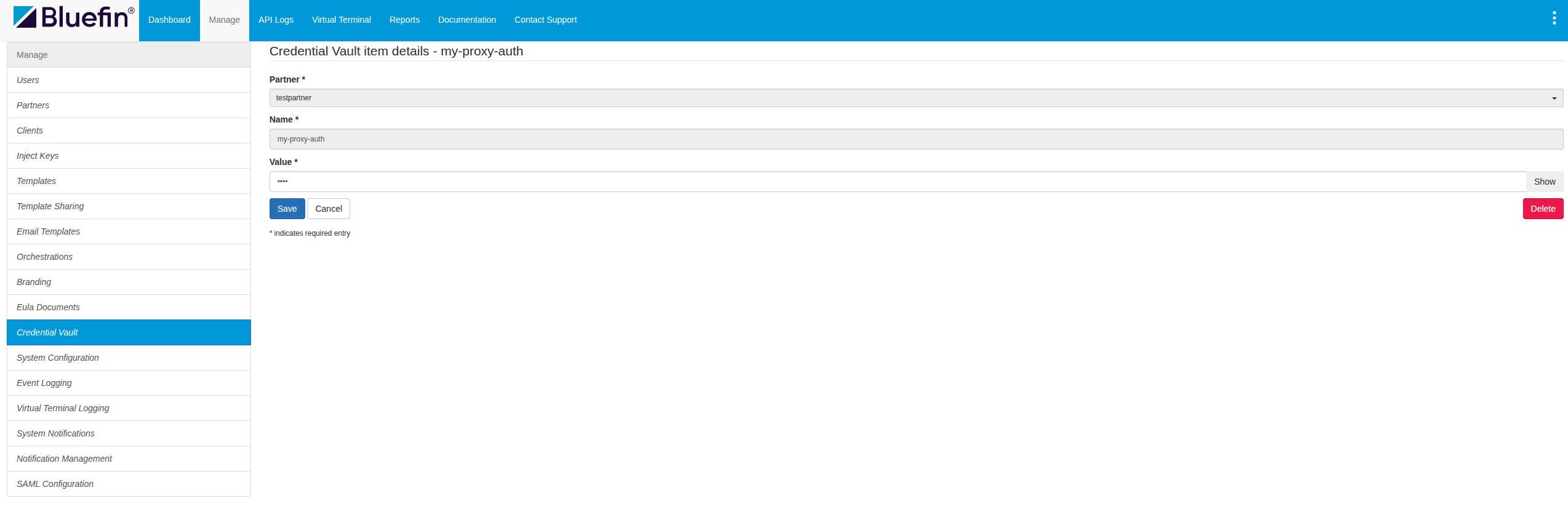
ORCA Credential Vault | Editing a Secret
Referencing a Secret in the ORCA Configuration
Finally, the user is all set to reference and use their credential vault value in an ORCA configuration.
This example showcases both Decryptx action and Proxy target destination referencing secrets via authorization.
NoteIn the ORCA configuration, references are specified using the
ref:prefix followed by the alias name.The
ref:prefix is written literally and should not be wrapped in double curly brackets as opposed to Referencing a Secret in the ORCA Request Body/Headers.Example:
"password": "ref:mykey"
{
  "proxy": {
    "method": "post",
    "target": "{The target URL/IP Address}",
    "authorization": {
      "type": "hmac",
      "username": "my-proxy-username",
      "secret": "ref:my-proxy-auth"
    }
  },
  "requestActions": [
    {
      "logSettings": {
        "requestMasks": [
          {
            "transformationSource": "body",
            "transformationType": "jsonpath",
            "transformationPath": "$.deviceSerial",
            "pattern": "all"
          }
        ],
        "responseMasks": [
          {
            "transformationSource": "body",
            "transformationType": "jsonpath",
            "transformationPath": "$.messageId",
            "pattern": "all"
          }
        ]
      },
      "type": "parser",
      "authorization": {
        "type": "basic",
        "username": "payconex-qsapi",
        "password": "ref:decryptx-secret"
      },
      "serialLocation": {
        "transformationSource": "body",
        "transformationType": "jsonpath",
        "transformationPath": "$.Device.Serial"
      },
      "instructions": [
        {
          "transformationSource": "body",
          "transformationType": "jsonpath",
          "transformationPath": "$.Card.Track1",
          "instructionType": "substitution",
          "format": "track1",
          "dataType": "string",
          "default": "mydefault"
        },
        {
          "transformationSource": "body",
          "transformationType": "jsonpath",
          "transformationPath": "$.Card.Track2",
          "instructionType": "substitution",
          "format": "track2",
          "dataType": "string",
          "default": "mydefault"
        },
        {
          "transformationSource": "body",
          "transformationType": "jsonpath",
          "transformationPath": "$.Card.PAN",
          "instructionType": "substitution",
          "format": "pan",
          "dataType": "string",
          "default": "mydefault"
        },
        {
          "transformationSource": "body",
          "transformationType": "jsonpath",
          "transformationPath": "$.Card.Expiry",
          "instructionType": "substitution",
          "format": "expiry",
          "dataType": "string",
          "default": "mydefault"
        },
        {
          "transformationSource": "body",
          "transformationType": "jsonpath",
          "transformationPath": "$.Card.CVV",
          "instructionType": "substitution",
          "format": "cvv",
          "dataType": "string",
          "default": "mydefault"
        }
      ]
    }
  ],
  "detailedAuditEndDate": "2026-01-19T20:05:54.295Z"
}
NoteIn order to reference a credential from an ORCA configuration, both the ORCA configuration and the credential must be created under the same partner.
Here is an ORCA config example of Basic Authentication referencing a secret.
{
  "proxy": {
    "method": "post",
    "target": "{The target URL/IP Address}",
    "authorization": {
      "type": "basic",
      "username": "my-proxy-username",
      "password": "ref:my-proxy-auth"
    }
  },
  "requestActions": [
    ...
  ],
  ...
}
Referencing a Secret in the ORCA Request Body/Headers
An even more dynamic approach to reference vaulted secrets at runtime - and pass them onto the target destination - is to include them in the ORCA API request body and/or headers.
This can be done by wrapping the vault secret names in double curly brackets as {{alias}}.
NoteShieldConex® Orchestration handles only the specific fields that require actioning, leaving all other data untouched for the target destination/payment processor.
For more information, refer to TrustConex Example Use Case | EMV Transaction Orchestration.
POST https://proxy{-*}.shieldconex.com/api/v1/partners/{partnerID}/configurations/{configReferenceID}
{
  method: "POST",
  headers: {
    "dpx-device-serial": "{deviceSerial}",
    "dpx-device-type": "{deviceType}",
    "dpx-payload": "{devicePayload}",
    "Authorization": "{authKey}",
    "Content-Type": "application/json",
    "HeaderSecretValue": "{{processor-header-secret}}"
  },
  body: {
    "Card" : {
      "Name" : "John Smith",
      "Track2" : "XXXXXXXXXXXXX"
    },
    "bodySecretValue": "{{processor-secret}}"
  }
}
Target Destination EndThe payload accepted by the target destination is the following:
{
  "Card": {
   "Name": "John Smith",
   "Track2": "4017779995555556=30121011234456789"
  },
  "bodySecretValue": "1234secret"
}
This includes the Decryptx®-substituted data, which is reinserted and forwarded to the target destination as well as the secret vault values replaced at runtime by ShieldConex® Orchestration.
Additional Request MasksEven though dynamically injected, we recommend masking these value paths in the Orchestration Logs for maximum security.
"logSettings": {
  "requestMasks": [
    {
      "transformationSource": "header",
      "transformationType": "key",
      "transformationPath": "HeaderSecretValue",
      "pattern": "all"
    },
    {
      "transformationSource": "body",
      "transformationType": "jsonpath",
      "transformationPath": "$.bodySecretValue",
      "pattern": "all"
    }
  ],
}
Deleting a Secret
The user has the ability to delete a secret, permanently removing it from the Credential Vault.
This action cannot be undone.
CautionIf the merchant is removing a secret from the vault, it is generally the best practice to recreate the same secret under the same name to prevent breaking all of the existing integrations unless the merchant is moving away from the respective key name altogether.
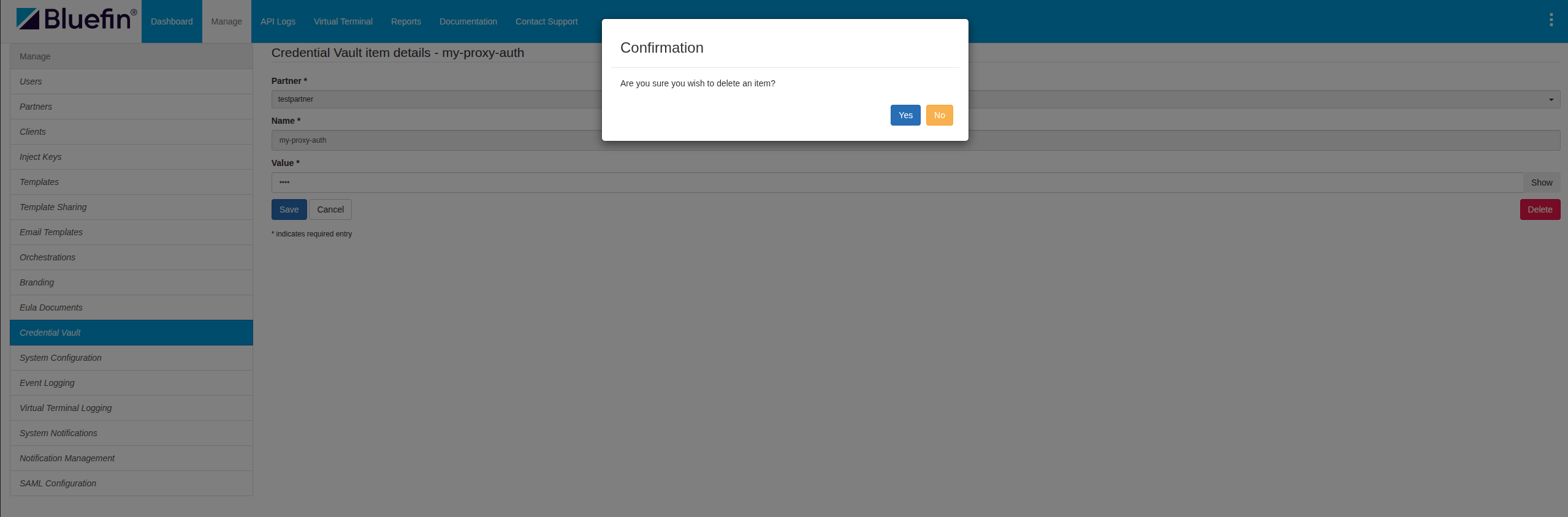
ORCA Credential Vault | Editing a Secret
Visa HMAC-based Proxy Authentication Use Case
One of the most significant use cases of ORCA Credential Vault is Visa HMAC-based Proxy Authentication.
ShieldConex ORCA adds the capability of authorizing requests to the Cybersource REST API (which connects to the VPC Gateway), enabling secure communication with Visa APIs.
For this use case, merchants are required to use the Credential Vault to securely manage Visa secret keys.
For example,
{
  "proxy": {
    "method": "post",
    "target": "https://apitest.cybersource.com/pts/v2/payments",
    "authorization": {
      "type": "hmac-vpc",
      "keyId": "ref:rest_api_shared_key_id",
      "secretKey": "ref:rest_api_shared_secret_key",
      "signableHeaders": [
        "host",
        "date",
        "request-target",
        "digest",
        "v-c-merchant-id"
      ]
    },
    "logSettings": {
      "requestMasks": [],
      "responseMasks": []
    }
  },
  ...
}
The Credential Vault is also required for referencing all other sensitive credentials, including ShieldConex or Decryptx actions and Target Destination/Payment Processor authorization.
Updated about 1 month ago