
API initialization creates a hosted checkout instance (derived) from a saved payment configuration. Your server calls PayConex, receives the hosted url, and sends the customer's browser to that URL for checkout.
Lifecycle
- Create and save a Hosted Payment Form configuration.
- Store its
resourceId(hpf_...). - From your server, initialize an instance with an authenticated API call.
- Store the returned
id(hpfi_…) with your order or payment record. - Redirect the customer to the exact returned
url, or load that URL in an iframe. - Let the customer enter payment information and submit the hosted checkout.
- Retrieve the instance from your server when you need its current state or result.
- This can also be trigged by a webhook notification. To see how to set this up, please refer to Results and Webhooks Notifications.
API CredentialsNever send API credentials to the browser. Initialization and authenticated status retrieval must happen on the server side (backend).
Authentication and Base URL
For all the authentication methods and environment URLs, make sure you follow the API Endpoint Overview page.
Initialize an instance
POST /api/v4/accounts/{accountId}/payment-form/{resourceId}/instance/init
Creates an instance of the selected payment form configuration.
Required scopes: pcx:hosted_payment_form:instance:* or pcx:hosted_payment_form:instance:create
Path parameters
| Parameter | Required | Description |
|---|---|---|
accountId | Yes | The 12-digit PayConex account ID that owns the form. |
resourceId | Yes | The saved configuration ID, in hpf_ plus 32 hexadecimal characters format. |
Request body
label is the only required field in the request body parameters. The payment configuration acts as a global configuration that defines the default values for all other fields, which can then be overridden as needed. This allows for maximum customization and flexibility per instance. In other words, other properties override or add instance-specific data.
NoteThese options can be customized when each instance is created, allowing developers to set up settings specifically for each customer's payment instance. This approach provides you with the flexibility to configure unique settings for different customer needs without the need for repetitive
PATCHoperations on the payment configuration. By setting these options at the time of instance creation stage, developers ensure that each payment instance is precisely configured, reducing the need for any ongoing adjustments.
| Field | Type | Required | Purpose |
|---|---|---|---|
label | string | Yes | A label for the payment option. Must be provided when savePaymentOption is set to true.pattern: ^[A-Za-z.' -]+$ |
reference | string | No | Merchant reference to correlate the instance with your record. |
amountLabel | string | No | Overrides the saved amount label. |
pageType | string | No | ecommerce or donation. |
confirmationPage | object | No | Instance-specific confirmation or redirect settings. |
customer | object | No | Prefilled name, email, phone, and billingAddress. Does not override which fields the form is configured to capture. |
shippingAddress | object | No | Prefilled shipping address. |
savePaymentOption | string | No | required, optional, or omit. |
ecommerceSettings | object | No | Fixed or open amount settings. |
donationSettings | object | No | Preset or custom donation settings. |
allowedPaymentMethods | array | No | Any supported combination of CARD, ACH, and GOOGLE_PAY. |
style | object | No | Instance-specific supported presentation settings. |
threeDSecure | object | No | 3-D Secure behavior and initialization context. |
termsAndCond | object | No | Terms presentation and acceptance behavior. |
timeout | integer | No | Instance timeout in seconds; minimum 300, default 1800. This setting specifies the time entire payment form instance expires with its URL.Note that this setting can be set at the payment-configuration-level to define the default value for all the newly created instances but does not affect the payment configuration itself given that a payment configuration with direct URL access does not implement the timeout expiry and remains reusable for multiple payments until the configuration is paused or deleted. However, it does specify the real-time timeout value that determines when the session should expire before the page reloads. |
customFieldValues | array | No | Values identified by customFieldId or fieldName. |
For the comprehensive API reference, refer to Create Form Instance.
Example request
POST /api/v4/accounts/{accountId}/payment-form/hpf_2a08d8fc30b64a8a9d8b9f0ec37b59c9/instance/init
{
  "label": "Invoice 10482",
  "reference": "invoice-10482",
  "customer": {
    "name": "Jordan Lee",
    "email": "[email protected]",
    "phone": "+13125550142",
    "billingAddress": {
      "address1": "100 Market Street",
      "city": "Chicago",
      "state": "IL",
      "zip": "60601",
      "country": "USA"
    }
  },
  "ecommerceSettings": {
    "amountType": "FIXED",
    "fixedAmount": 84.25
  },
  "timeout": 1800,
  "customFieldValues": [
    {
      "customFieldId": "cfo_5249941f13564471b3be9f96a6d532c1",
      "fieldName": "invoiceNumber",
      "value": "10482"
    }
  ],
  "termsAndCond": {
    "required": true,
    "text": "Lorem Ipsum",
    "redirectToUrl": true,
    "termsAndConditionsURL": "https://www.google.com"
  }
}*Required Scopes: pcx:hosted_payment_form:instance:*, pcx:hosted_payment_form:instance:create
Successful Response
PayConex returns 201 Created with:
{
  "expiresAt": "2026-11-02T09:17:31-06:00",
  "id": "hpfi_5249941f13564471b3be9f96a6d532c1",
  "url": "https://secure.paymentpage.com/hpfi_5249941f13564471b3be9f96a6d532c1"
}
Store id and redirect the browser to url. Do not reconstruct the URL from the instance ID. Hostnames differ by environment, and the returned URL is the authoritative destination.
If you are integrating with the certification environment, PayConex returns:
{
  "expiresAt": "2026-11-02T09:17:31-06:00",
  "id": "hpfi_4bebe604a93a4d7787a189096de4644d",
  "url": "https://checkout-cert.paymentpage.com/i_4bebe604a93a4d7787a189096de4644d"
}
If the URL is not registered by the PayConex gateway, it will be rejected via 404 not-found. PayConex can return a different host or route for the environment.
Initialization errors
The operation above defines these responses:
400 Bad Request— malformed request or invalid input.401 Unauthorized— invalid authentication.403 Forbidden— credentials do not permit the operation.404 Not Found— the account or form resource cannot be found.422 Unprocessable Entity— the payload fails schema or field validation.500 Internal Server Error— an unexpected PayConex failure.
An inactive, paused, or deleted configuration can also prevent instance initialization.
For the comprehensive API reference, refer to Create Form Instance.
Send the customer to checkout
Use an HTTP redirect from your application to the returned url, or embed that hosted URL in an iframe when that experience is appropriate.
If you embed it:
- Allocate responsive space for the hosted page;
- Do not attempt to read or manipulate sensitive hosted payment fields;
- Keep your parent page on HTTPS; and
- Test mobile, desktop, success, decline, timeout, and completed-instance states.
The Hosted Payment Form does not use the Checkout Component JavaScript SDK.
After the customer has completed the payment checkout or its timeout expires, attempting to reload the checkout using the same URL results in the following:
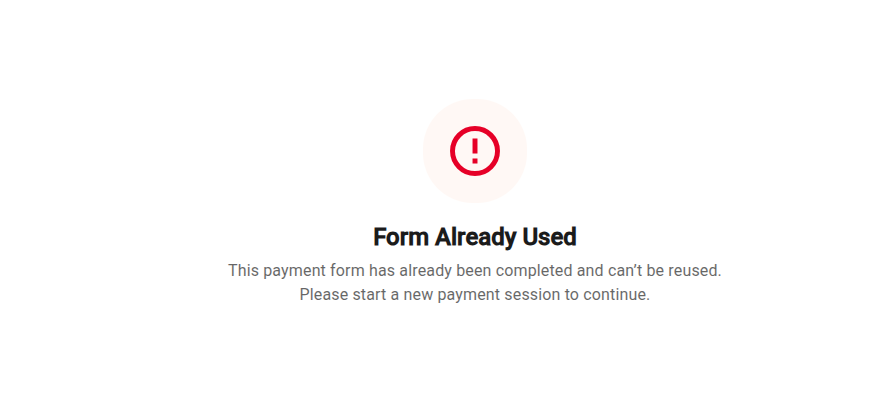
Form Already Used
Without reloading the page, this is what the customer sees in real time upon the timeout expiry.
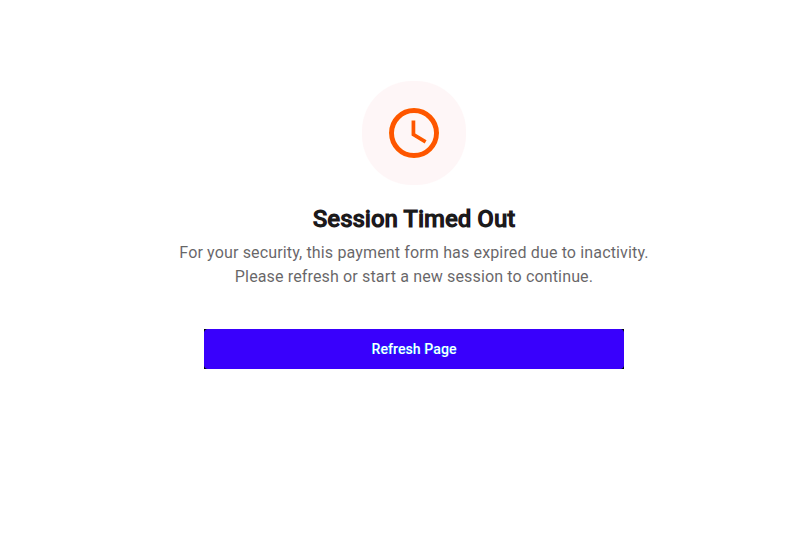
Session Timed Out
Session Alive CheckBy Retrieving an instance from your server, make sure that the current payment instance has not expired by comparing the
expiresAtfield returned in response.
Redirection and confirmation URL
Once the customer completes the payment form instance by checking out, they are redirected to the checkout's completion URL. In the following example, this is the built-in/default Bluefin metadata page.
confirmationUrlDo not treat a browser redirect alone as authoritative proof of payment. Reconcile the result with the authenticated instance or the merchant's normal PayConex transaction records.
A customer can close the browser before redirect, repeat navigation, or arrive at a merchant URL independently.
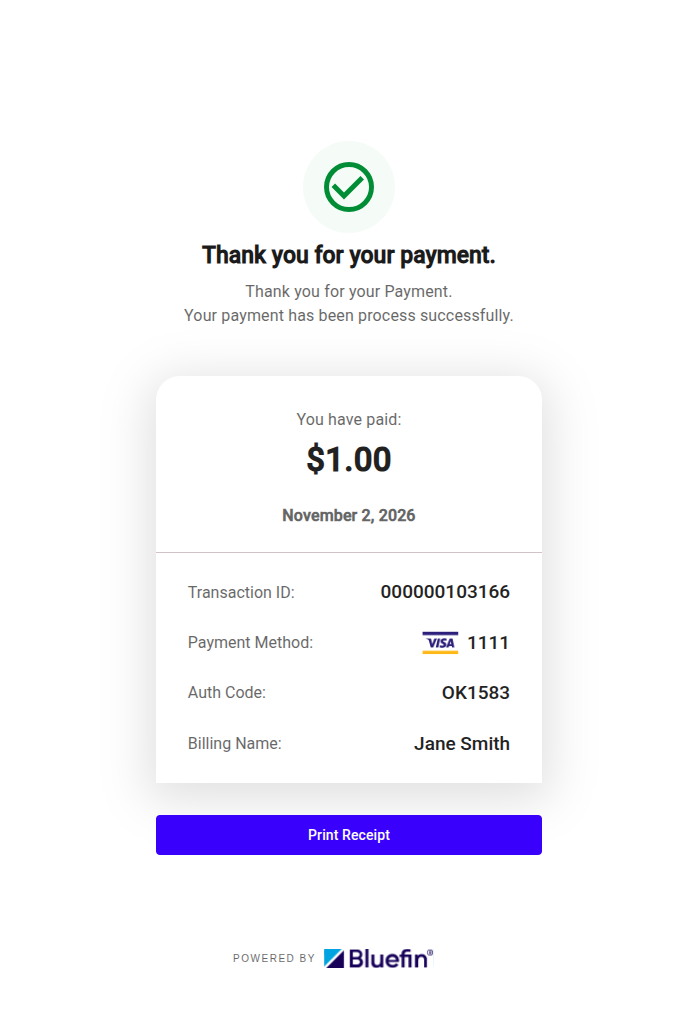
Default Redirection (Confirmation) Page
The merchant can configure this redirection either at the payment configuration level or, preferably, at the payment instance level, which is the recommended use case.
POST /api/v4/accounts/{accountId}/payment-form/hpf_2a08d8fc30b64a8a9d8b9f0ec37b59c9/instance/init
{
  ...
  "confirmationPage": {
    "confirmationUrl": "https://www.yourstore.com/checkout/confirmation?orderId=ORD-987654&status=success",
    "useCustomPage": true,
    "customTextStyle": "Thank you for your payment."
  },
  ...
}*Required Scopes: pcx:hosted_payment_form:instance:*, pcx:hosted_payment_form:instance:create
POST /api/v4/accounts/{accountId}/payment-form
{
  ...
  "confirmationPage": {
    "confirmationUrl": "https://www.yourstore.com/checkout/confirmation?orderId=ORD-987654&status=success",
    "useCustomPage": true,
    "customTextStyle": "Thank you for your payment."
  },
  ...
}*Required Scopes: pcx:hosted_payment_form:*, pcx:hosted_payment_form:create
If confirmationPage.useCustomPage is set to true, confirmationUrl must, as well, be specified. Otherwise, we get the following API error message:
{
  "code": "paymentforms.configuration.invalid",
  "fieldViolations": [
    {
      "field": "confirmationPage.confirmationUrl",
      "message": "confirmation URL is required when a custom page is used"
    }
  ],
  "message": "payment form configuration validation failed",
  "type": "ValidationFailed"
}
Retrieve an instance from your server
GET /api/v4/accounts/{accountId}/payment-form/{resourceId}/instance/{resourceInstanceId}
Required scopes: pcx:hosted_payment_form:instance:* or pcx:hosted_payment_form:instance:read
Returns the resolved instance and its current state. If you want to avoid continuously polling this HTTP request to check the payment status and similar, prefer the out-of-the-box solution provided by Bluefin that is Results and Webhooks Notifications.
Path parameters
| Parameter | Required | Description |
|---|---|---|
accountId | Yes | The 12-digit account ID. |
resourceId | Yes | The hpf_... configuration ID used to create the instance. |
resourceInstanceId | Yes | The hpfi_... instance ID returned by initialization. |
Example request
curl --request GET \
  'https://api-cert.payconex.net/api/v4/accounts/180000027666/payment-form/hpf_2a08d8fc30b64a8a9d8b9f0ec37b59c9/instance/hpfi_5249941f13564471b3be9f96a6d532c1' \
  --header 'Authorization: Basic <base64-encoded credentials>'
Example completed response
{
  "accountId": "220615031547",
  "allowedPaymentMethods": [
    "CARD",
    "ACH"
  ],
  "amountLabel": "Invoice amount",
  "customFields": [],
  "customer": {
    "billingAddress": {
      "address1": "100 Market Street",
      "city": "Chicago",
      "country": "USA",
      "state": "IL",
      "zip": "60601"
    },
    "email": "[email protected]",
    "name": "Jordan Lee",
    "phone": "+13125550142"
  },
  "ecommerceSettings": {
    "amountType": "FIXED",
    "fixedAmount": 84.25
  },
  "expiresAt": "2026-11-02T10:24:32-06:00",
  "hpfResourceId": "hpf_cc40cf66a9484a219902a03deecd3fe0",
  "id": "hpfi_ad0350632c6745f49fcc23faa003c58b",
  "label": "Invoice 10482",
  "pageType": "ecommerce",
  "reference": "invoice-10482",
  "savePaymentOption": "omit",
  "status": "COMPLETED",
  "transactionId": "000000001861",
  "customFieldValues": [
    {
      "customFieldId": "cfo_5249941f13564471b3be9f96a6d532c1",
      "fieldName": "invoiceNumber",
      "value": "10482"
    }
  ],
  "style": {
    "buttonTextColor": "#FFFFFF",
    "fieldStyle": "outlined",
    "font": "roboto",
    "primaryColor": "#0D6EFD"
  },
  "termsAndCond": {
    "redirectToUrl": false,
    "required": false
  },
  "url": "https://checkout-cert.paymentpage.com/i_ad0350632c6745f49fcc23faa003c58b"
}
Instance status values
| Status | Meaning for the integration |
|---|---|
PENDING | Checkout is available or awaiting customer completion. |
PROCESSING | Payment processing is in progress. |
COMPLETED | The hosted flow completed; use returned result identifiers as available. |
EXPIRED | The instance is no longer usable. Create a new instance if the customer should retry. |
FAILED | The hosted flow failed. Review the customer outcome and create a new instance when appropriate. |
confirmationUrlDo not treat a browser redirect alone as authoritative proof of payment. Reconcile the result with the authenticated instance or the merchant's normal PayConex transaction records.
A customer can close the browser before redirect, repeat navigation, or arrive at a merchant URL independently.
Polling Practices
If you poll for completion, use a conservative interval, stop at a reasonable application-defined limit, and stop immediately for a terminal status (COMPLETED, EXPIRED, or FAILED).
If you want to avoid continuously polling this HTTP request to check the payment status and similar, prefer the out-of-the-box solution provided by Bluefin that is Results and Webhooks Notifications.