
Decryptx v6.8.0 - 08.18.26
This release focuses on making P2PE Manager easier to use and manage. Updates include better visibility into user security status, SAML certificate access for Partner Supervisors, easier Client Imports and Device Transfers, better organized Partner settings, and a smoother report loading experience.
We’ve also addressed several issues across MFA settings, Location management, Site Code validation, reporting, and form validation to provide a more consistent and reliable experience.
Key Features and Enhancements
User Security Status Indicators
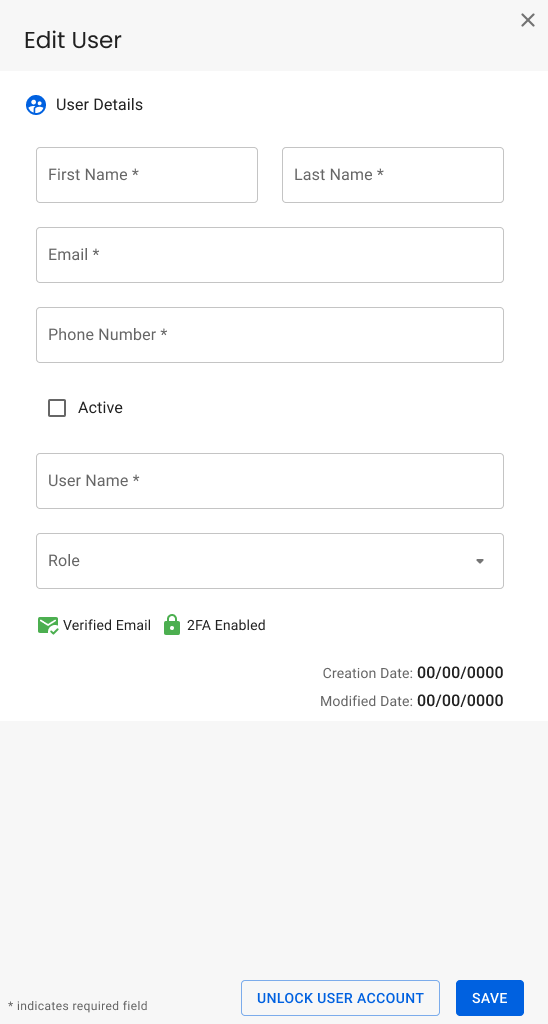
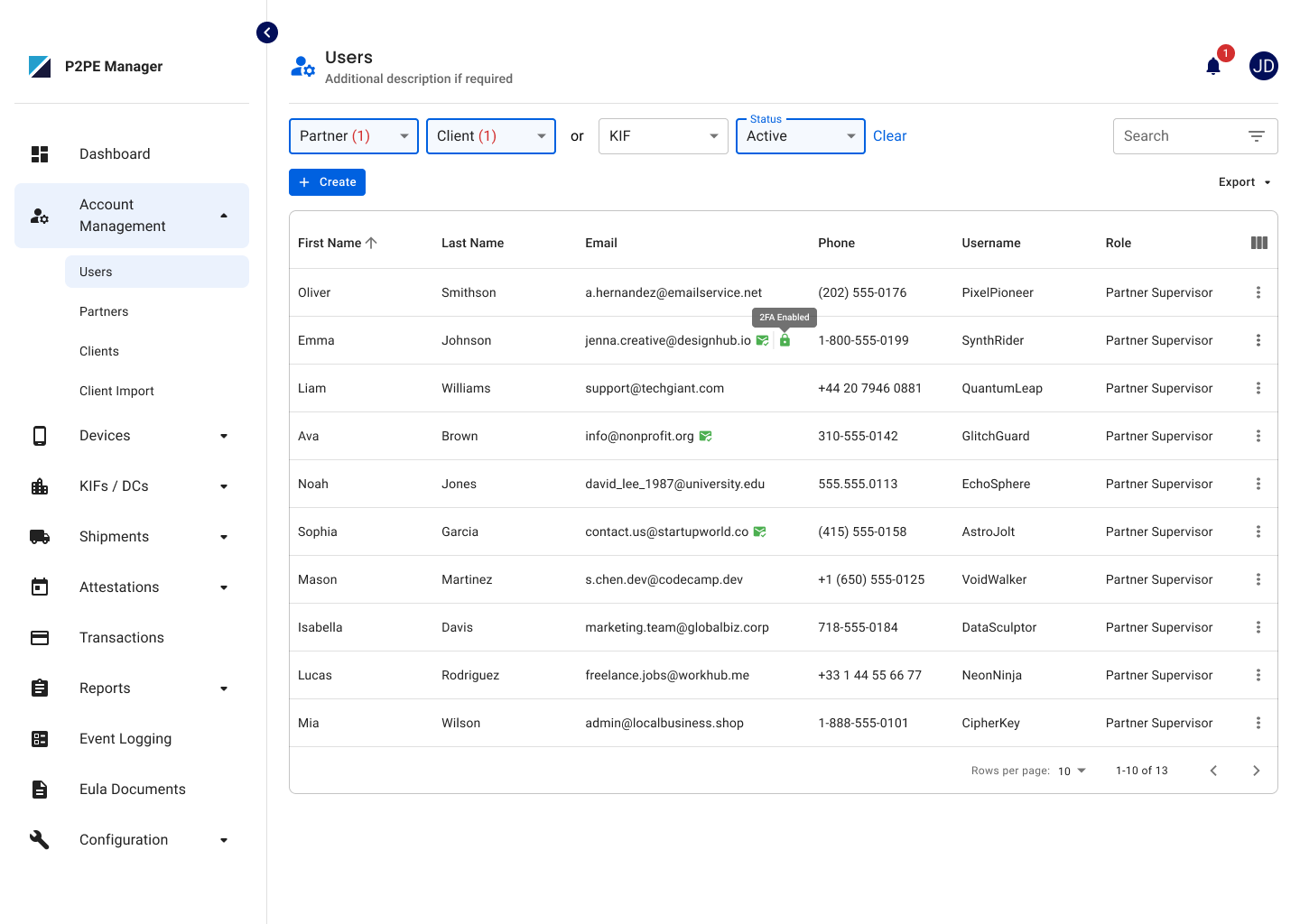
System Admins, System Users, Partner Supervisors, and Partner Users can now quickly see a user’s security status from the Users page and user record. A lock icon indicates when 2FA is enabled, while a green checkmark shows when the user’s email has been verified.
SAML Certificate Management for Partner Supervisors
Partner Supervisors can now access the SAML configuration for their partner and update the SAML certificate when needed. All other SAML settings remain read-only.
Easier Client Imports and Device Transfers
After completing a Client Import or Device Transfer, you can now select “Upload Another” from the summary page to quickly return and start a new upload.
Easier Partner Configuration
Partner settings are now grouped under the Customization section, making it easier to find and manage configuration options. No functionality or existing settings have changed.
Improved Report Loading Experience
Partner and Client Transaction Summary reports now show a loading indicator while results are being generated, and the Apply button is temporarily disabled to prevent multiple submissions while the report is processing.
Bug Fixes
Fixed MFA Settings for Sub-Partners
Partner Supervisors and Partner Users can now manage 2FA enforcement and email MFA fallback settings for partners at any level of the partner hierarchy.
Location Creation for Client Admins
Client Admins can now create and save new Locations without encountering an unexpected error during the process.
Improved Site Code Validation for Inactive Locations
Inactive Locations can now be updated even when their Site Code is already in use by an active Location. If you try to reactivate the Location, you’ll be prompted to update or clear the duplicate Site Code before continuing.
Fixed Device Activity Report Data
Fixed an issue where data in the Device Activity Report could appear under the wrong columns for partners with a large number of devices. Report data now displays correctly under the appropriate column headers.
Location Deactivation with Active Devices
Locations with active devices can no longer be mistakenly confirmed as deactivated. Users will now see a clear message letting them know the Location cannot be deactivated until the active devices are addressed.
Clearer Form Validation
Forms will now remain open when a validation error occurs, making it easier to see and correct the issue. Validation messages have also been cleaned up to display more clearly and consistently.