
Decryptx v.6.6.0 - 04.09.26
This release focuses on improving security, usability, and data clarity across P2PE Manager. It introduces enhancements to multi-factor authentication (MFA), including support for email as a fallback option and a more guided setup experience. Reporting has also been improved with clearer date range displays. Additionally, updates to Site Code validation help prevent conflicts while allowing more flexibility when managing Locations, and small UI improvements have been made to the Device Swap flow to make form completion more intuitive.
Key Features and Enhancements
Multi-Factor Authentication (MFA) Enhancements
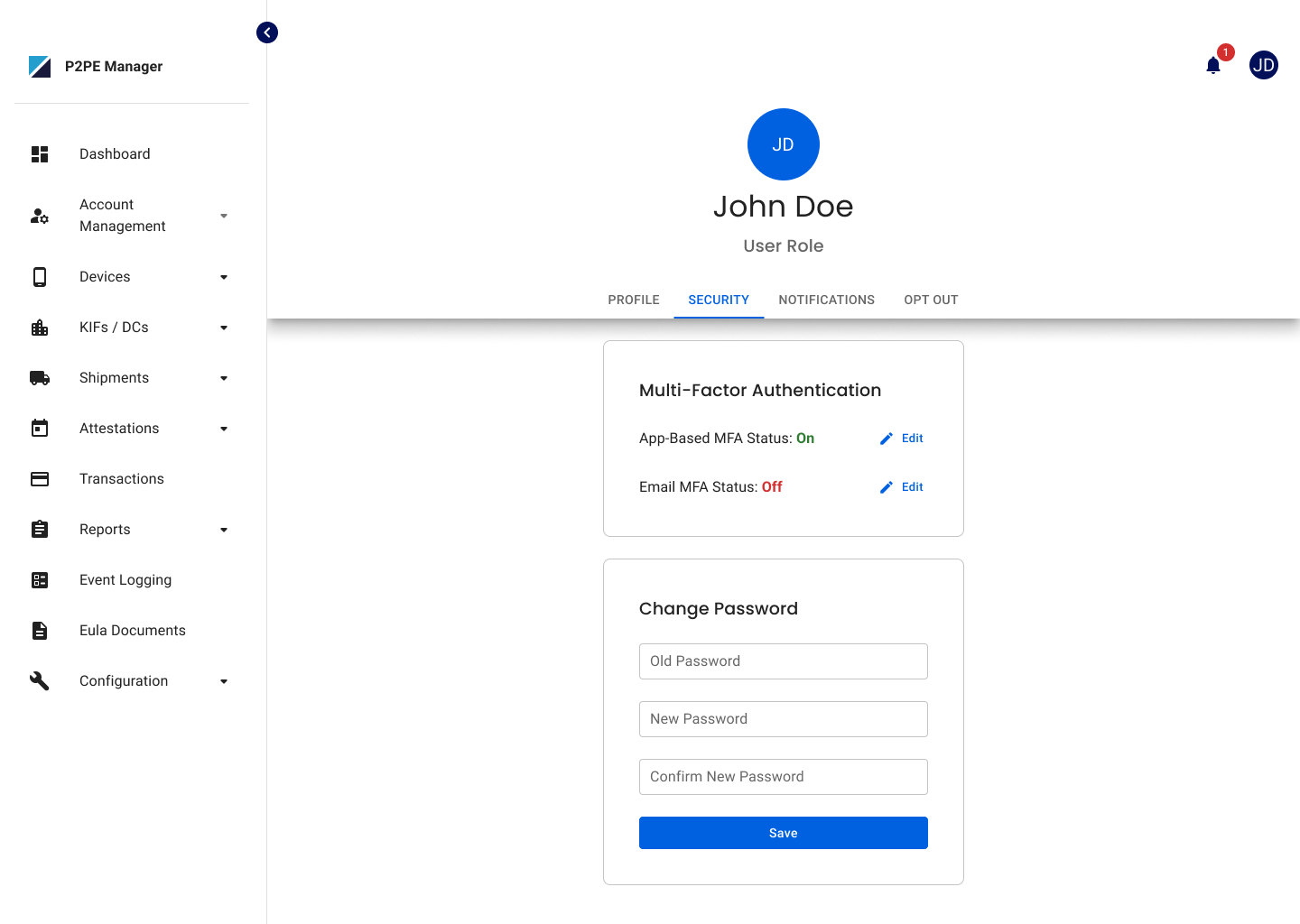
Authentication has been expanded to support a more flexible MFA experience. In addition to the Authenticator App, email can now be used as a fallback option when enabled by your organization.
What’s Changed
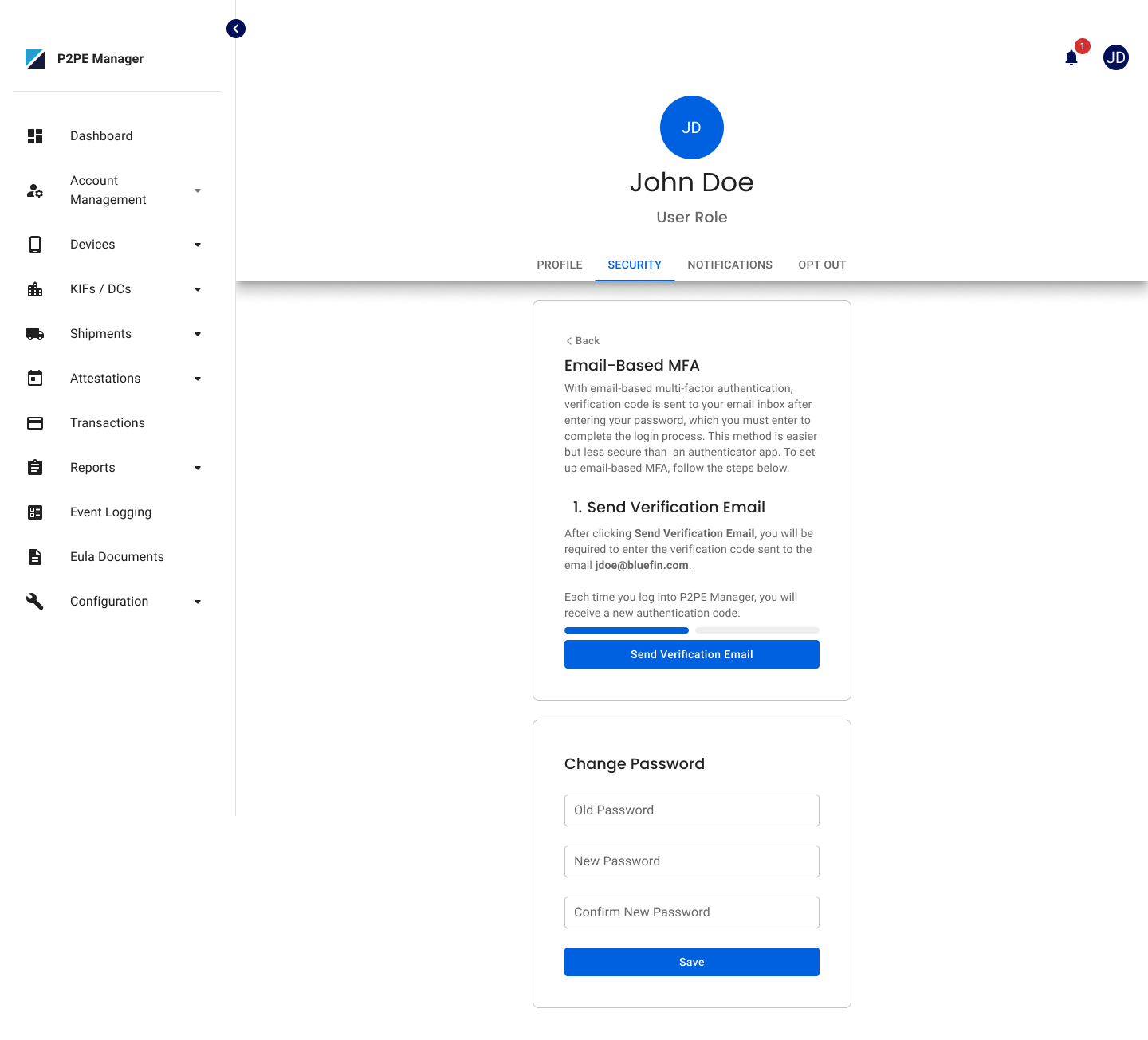
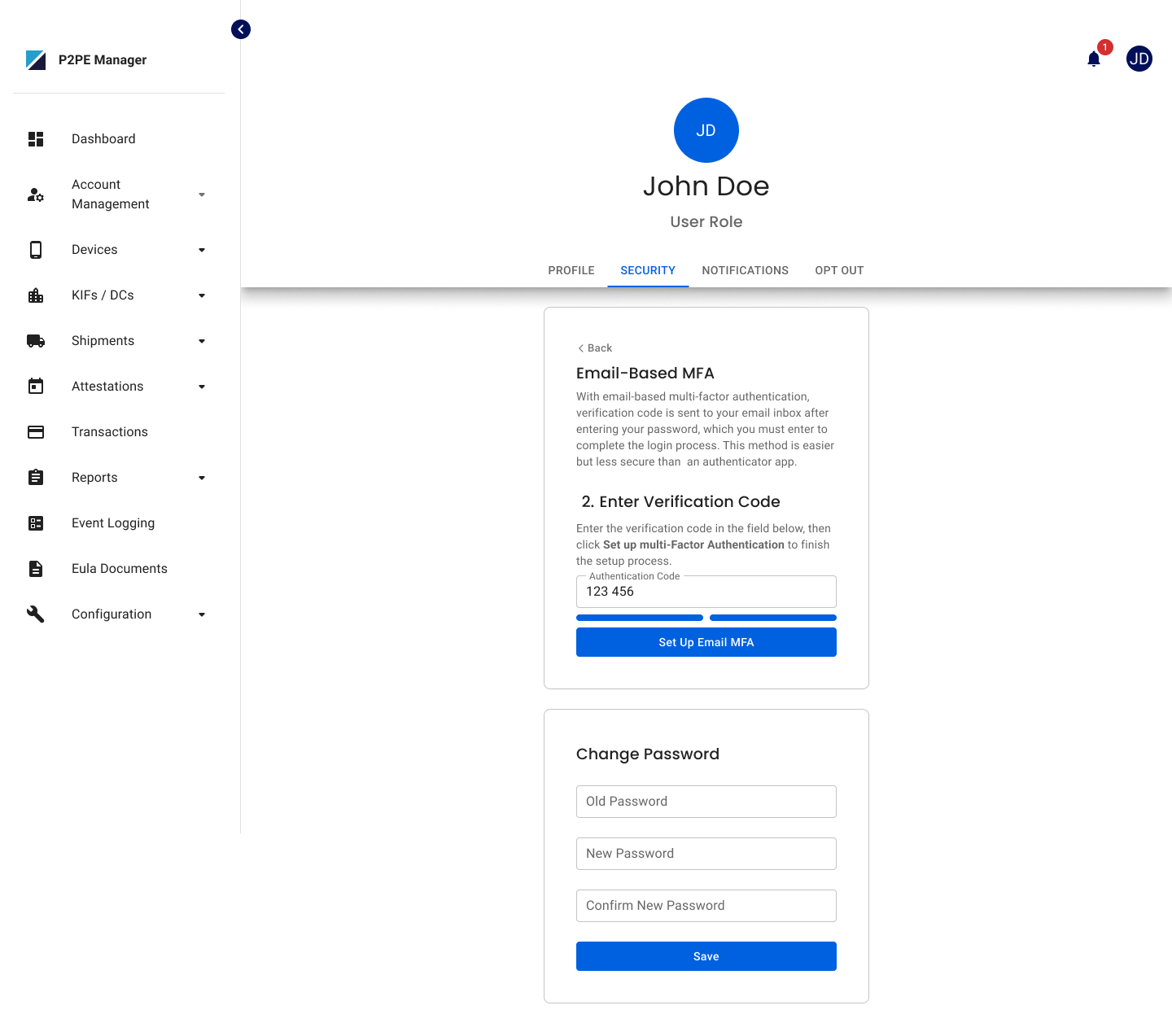
- Email can now be used as a fallback authentication method (Authenticator required)
- MFA setup is more guided and only shows options relevant to each user
- Email verification is now required when updating your email or enabling fallback authentication
- Verified email indicators are now visible in user profiles and admin views
Who This Impacts
Partner Supervisors
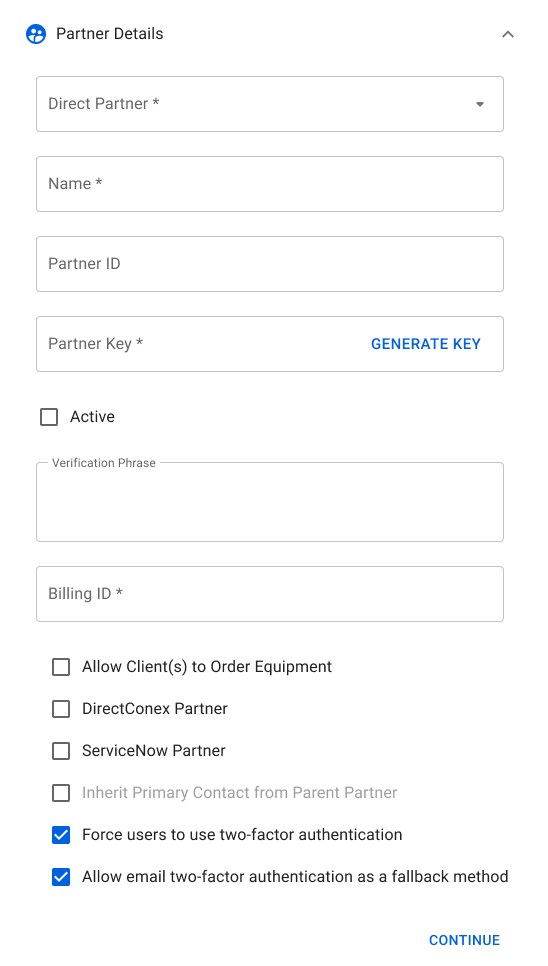
- Can enable or disable email-based MFA fallback for their organization
All Users
- Can enable email as a fallback after setting up Authenticator MFA, if allowed by their partner
- Will not see the email fallback option if it is not enabled at the partner level
- Must verify their email when updating their profile; email-based MFA will be disabled until the new email is verified.
Improved Site Code Validation for Locations
Site Code validation has been updated to be more flexible while still preventing conflicts across both the UI and APIs. Site Codes can now be reused from inactive Locations, but must remain unique across active Locations within the same Client.
What’s Changed
- Site Codes tied to inactive Locations can now be reused
- Duplicate Site Codes across active Locations within the same Client are no longer allowed
- Validation applies when creating, updating, or reactivating Locations in both the UI and APIs
- Existing duplicate Site Codes will remain as is, but updates or reactivations may be blocked until conflicts are resolved
- This validation only applies when the Site Code feature is enabled
Who This Impacts
Partner Supervisors
- Can manage Site Codes across both the UI and APIs
- Can reuse Site Codes from inactive Locations
- May be blocked from saving changes if a Site Code is already in use by an active Location
Client Admins (UI only)
- Can reuse Site Codes from inactive Locations in the UI
- May be blocked from saving changes if a Site Code is already in use by an active Location
Improved Device Swap Experience
We’ve made a small update to the Device Swap flow to make it easier to know when you’re ready to continue. The primary action button will now stay disabled until all required fields are filled out, so you won’t run into confusion about missing information.
This is just a visual improvement to guide you through the form. No changes were made to how the process works.
Bug Fixes
Fixed Date Range Display in Reports
Resolved an issue where the date range filter in reports wasn’t showing the full date, which could make it unclear what range was selected. Dates now display completely, including the year, so it’s easier to read and confirm your selection.